Move your Z-Wave adapter closer to your devices
Your Home Assistant server might sit in a basement or a server rack, while your Z-Wave devices are spread across other floors. A Connect ZWA-2 plugged into that server has to reach them through floors and walls, next to metal and other transmitters. The ZWA-2 placement guide lists these, including server rack housings, computers, and routers, as sources of interference.
With Home Assistant Connect AUX-2, the Connect ZWA-2 can sit closer to your Z-Wave devices, while Home Assistant stays where it is. Connect AUX-2 connects the adapter to Home Assistant over your network.
- Place Connect AUX-2 near your Z-Wave devices, following Choosing a location. A wired network connection gives the most reliable radio link. See Power and network options.
-
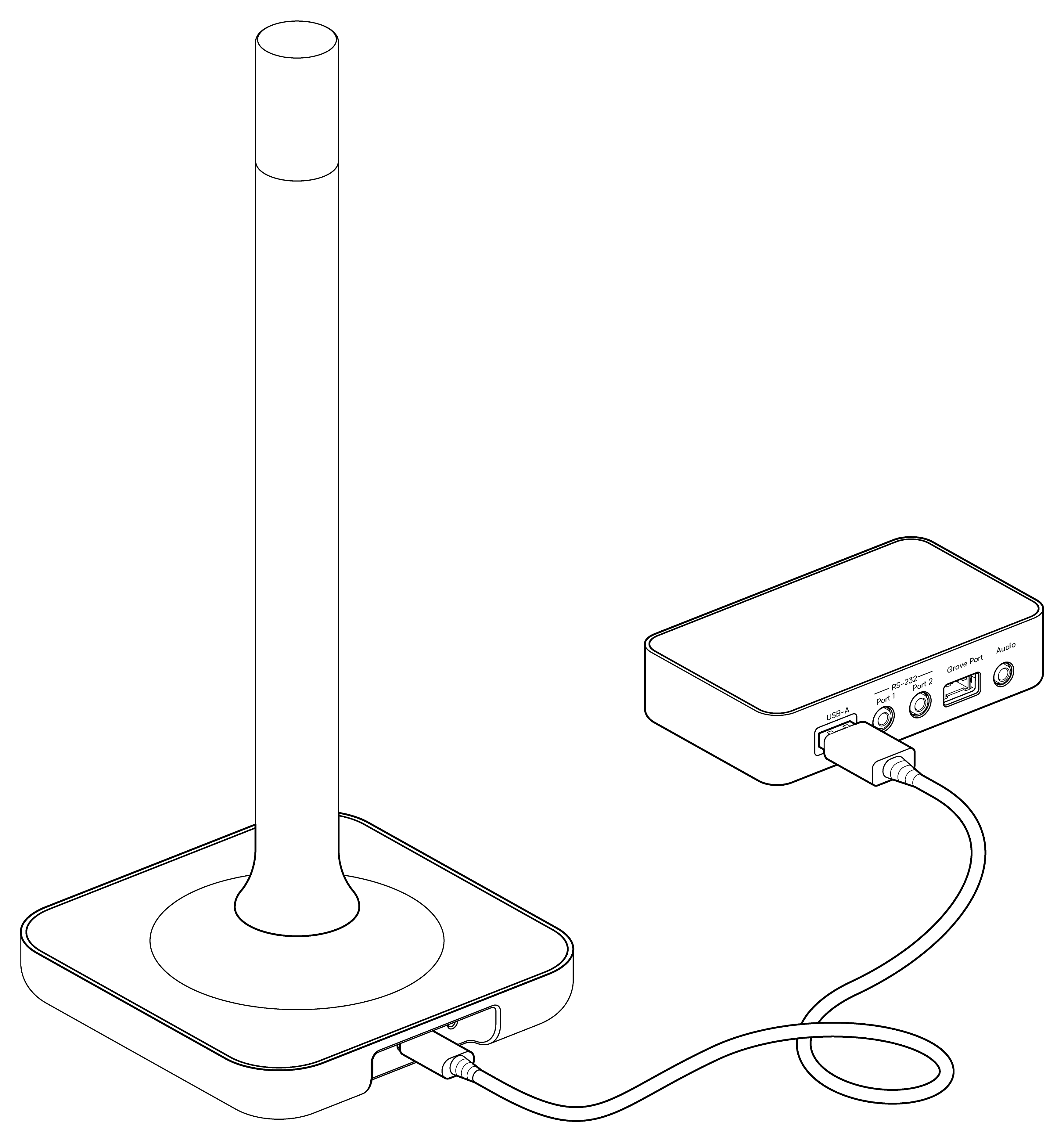
Plug the Connect ZWA-2 into the USB-A port of Connect AUX-2. Home Assistant discovers it automatically. If the adapter was connected to your Home Assistant server before, Home Assistant migrates it to the new location.
For details, see Using a Connect radio adapter over the network. For supported adapters, see Specifications.