Set up Home Assistant Connect AUX-2
This article takes you from an unboxed Home Assistant Connect AUX-2 to a device that's ready to use in Home Assistant.
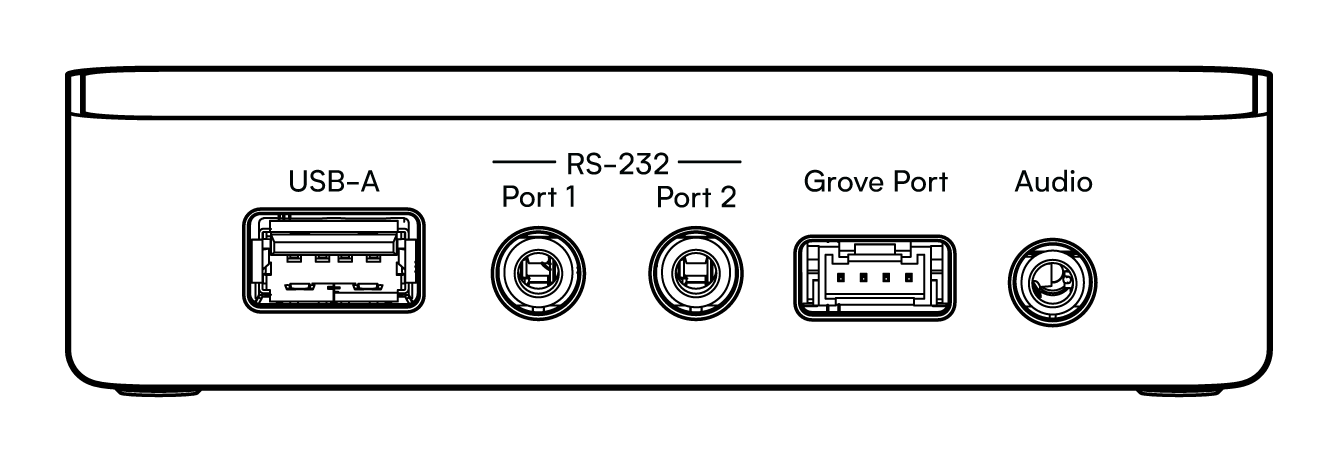
The three 3.5 mm ports are not interchangeable
RS-232 Port 1 and Port 2 carry RS-232 signaling at ±5 V and can damage audio equipment. Use the 3.5 mm audio output for audio equipment only, and Port 1 and Port 2 for serial equipment only. See Ports and controls.
Prerequisites
- Home Assistant 2026.9 or newer.
- Power: a Power over Ethernet (PoE) switch or injector, or a USB-C supply. Use one power source at a time.
- Network: wired (Ethernet or PoE) or Wi-Fi. Wi-Fi is off while an Ethernet cable is connected. See Power and network options.
- Cabling for your setup. See What's in the box.
- A spot within reach of your power, network, and audio equipment. See Choosing a location.
Set up the device
Set up Connect AUX-2 within 15 minutes of powering it on. After that, it leaves pairing mode. To return to pairing mode, disconnect the power and connect it again.
The steps differ for a wired connection and for Wi-Fi.
Over Ethernet
- Add your Connect AUX-2 to the same network as Home Assistant with an Ethernet cable. With PoE, the same cable powers it. Without PoE, also connect a USB-C supply.
- In Home Assistant, go to Settings > Devices & services.
- Under Discovered, select Configure on the Connect AUX-2 card and follow the ESPHome adoption flow.
- Assign it to an area and finish.
Over Wi-Fi
Wi-Fi setup uses Improv via BLE. Home Assistant sends your Wi-Fi details to Connect AUX-2 over Bluetooth, which needs one of the following:
- A Bluetooth proxy in Home Assistant, in range of Connect AUX-2.
-
The Home Assistant app on your phone, with Bluetooth turned on and Bluetooth access allowed for the app.
-
Power Connect AUX-2 from a USB-C supply, with no Ethernet cable connected.
- In Home Assistant, go to Settings > Devices & services.
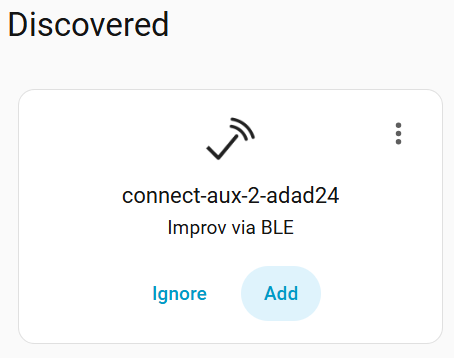
- Under Discovered, select Add on the Connect AUX-2 card marked "Improv via BLE".
- Choose your Wi-Fi network, enter its password, and follow the ESPHome adoption flow.
- Assign it to an area and finish.
Connect AUX-2 runs on ESPHome and is adopted like any other ESPHome device. To see what happens after adoption, read What Connect AUX-2 is and how it works. To pick a first project, see Starter projects.